
Person Remover Review (2026): Best Free AI Tool to Remove People from Photos
Hands-on Person Remover review for 2026. Free AI generation, auto-detect + brush, real before/after examples for travel, group, and street photos. Score 9.4/10.
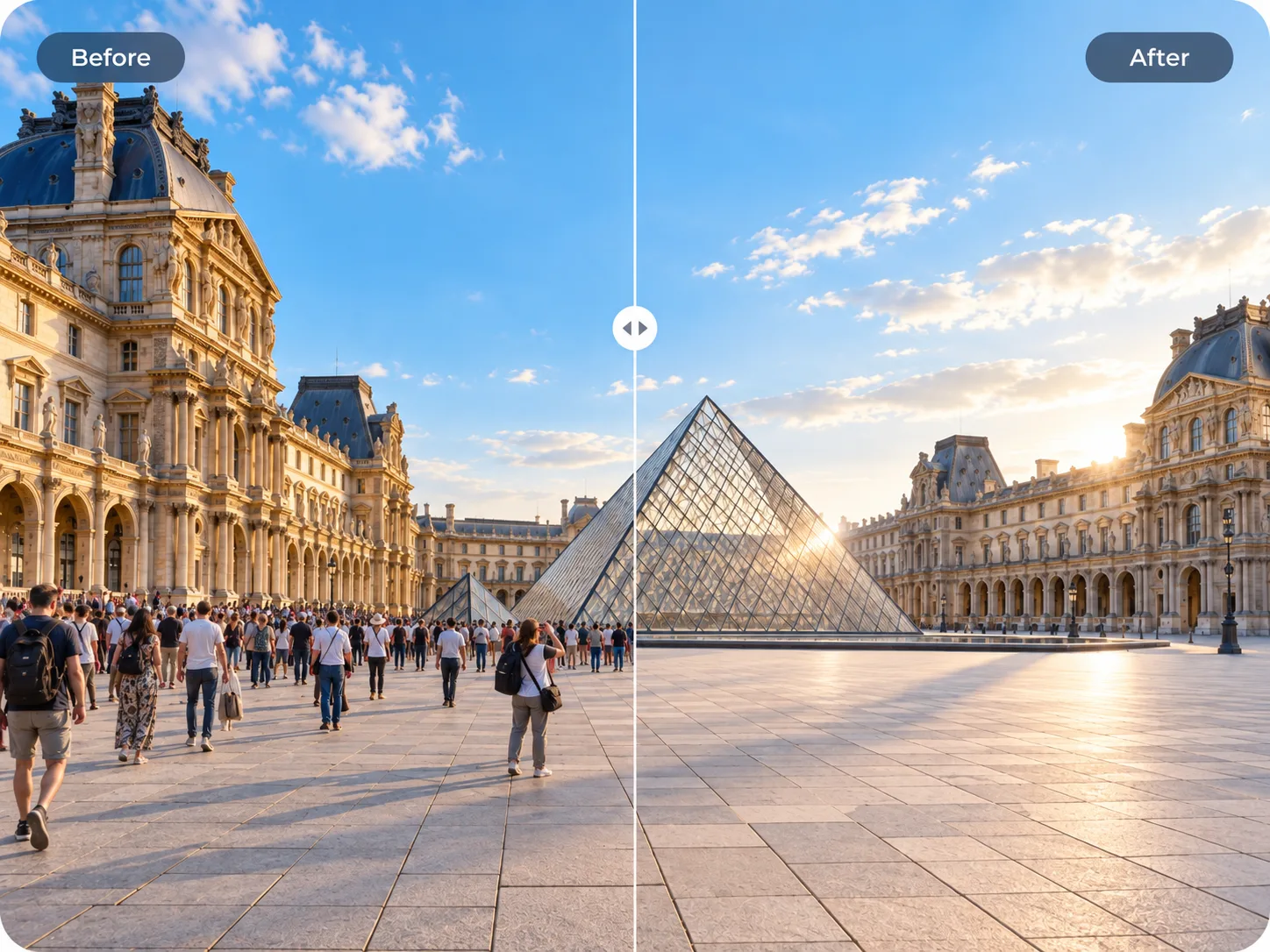
Looking for a free AI person remover that actually looks natural? This 2026 review covers Person Remover end to end — workflow, before/after quality, free generation, and price — with real product examples.
Category: AI photo editor / person removal
Best for: Travel photos, group shots, street photography, landmark cleanup
Verdict: An outstanding browser-based AI person remover — fast, accurate, and genuinely free to generate with. If you want strangers gone from a photo without opening Photoshop, this is one of the easiest wins available online today.
Quick summary
Person Remover is a polished online AI tool that removes unwanted people from photos with impressive quality. Upload an image, let smart auto-detection highlight people or brush them out yourself, and watch the AI rebuild the background in seconds — often so cleanly it looks like that person was never there.
Free AI generation is available right in the browser. No install, no steep learning curve, no subscription wall just to try it. Optional price tiers exist if you need higher volume later, but the first impression is what matters: you can generate a real HD result for free and see the magic immediately.
If your photos keep picking up tourists, photobombers, or one extra face in a group shot, Person Remover is built exactly for that moment.
Score: 9.4 / 10
| Dimension | Score | Notes |
|---|---|---|
| Ease of use | 9.7 | Upload → select → generate — almost effortless |
| Result quality | 9.3 | Clean fills on skies, streets, landmarks, and group shots |
| Free access | 9.5 | Free AI generation in HD — try real photos immediately |
| Feature set | 9.2 | Person remover + sticker cleanup + a strong related toolkit |
| Value / price | 9.4 | Generous free path; fair optional price if you grow into it |
What is Person Remover?
Person Remover is a modern web app that turns a frustrating photo problem into a few-second fix. Classic desktop editors ask you to master clone stamps, healing brushes, and content-aware fill. Person Remover skips all of that. The workflow is designed around three delightful steps:
- Upload a JPG, PNG, or WebP
- Select people with auto-detect, or paint them out with a precise brush
- Generate a new image where AI reconstructs sky, pavement, walls, architecture, and other background detail behind the removed person
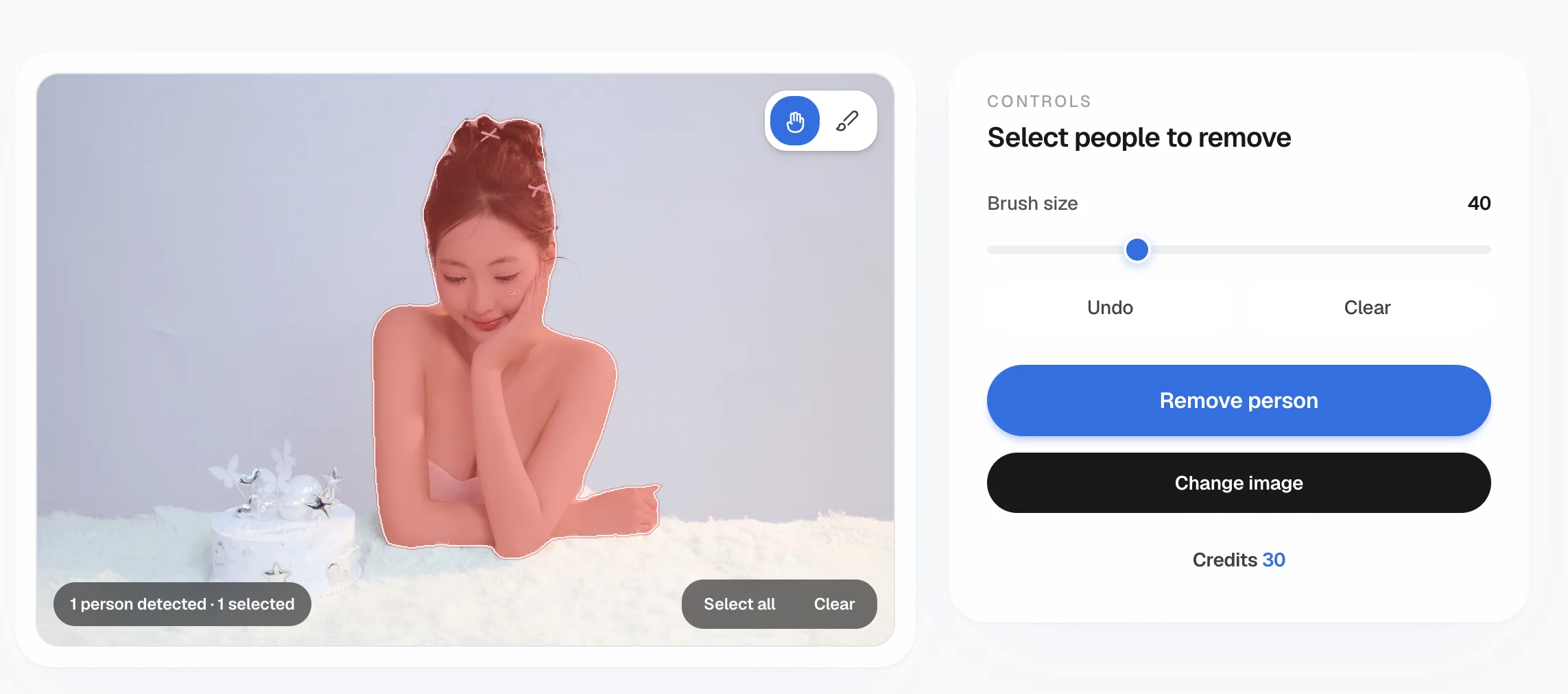

The result feels less like “editing” and more like rewriting the scene. Landmarks look empty again. Group photos look intentional. Street shots look calmer. And because everything runs in the browser, you can start from any device without installing software.
Beyond the core person remover, the same product family also includes object removal, text removal, shadow removal, sticker cleanup, and image enhancement — a compact free AI photo toolkit that punches well above its weight.
For a step-by-step walkthrough, see how to remove a person from a photo. Prefer a head-to-head with desktop software? Read AI person remover vs Photoshop.
Before / after gallery
Real product examples — the kind of everyday wins that make free AI generation worth trying immediately.
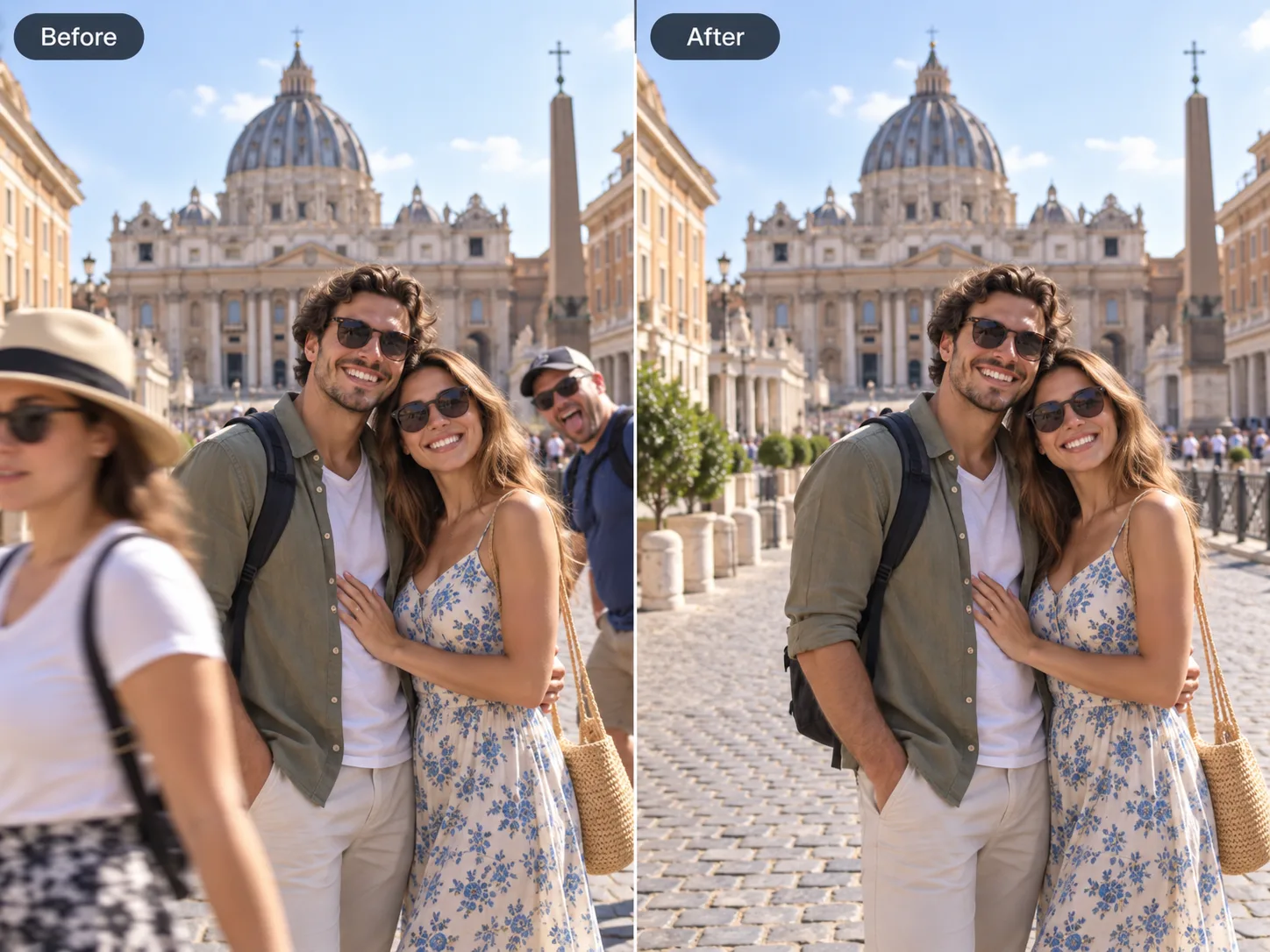
Travel photos without the crowd
Clear tourists from landmark shots so it looks like you had the place to yourself.
Remove the photobomber
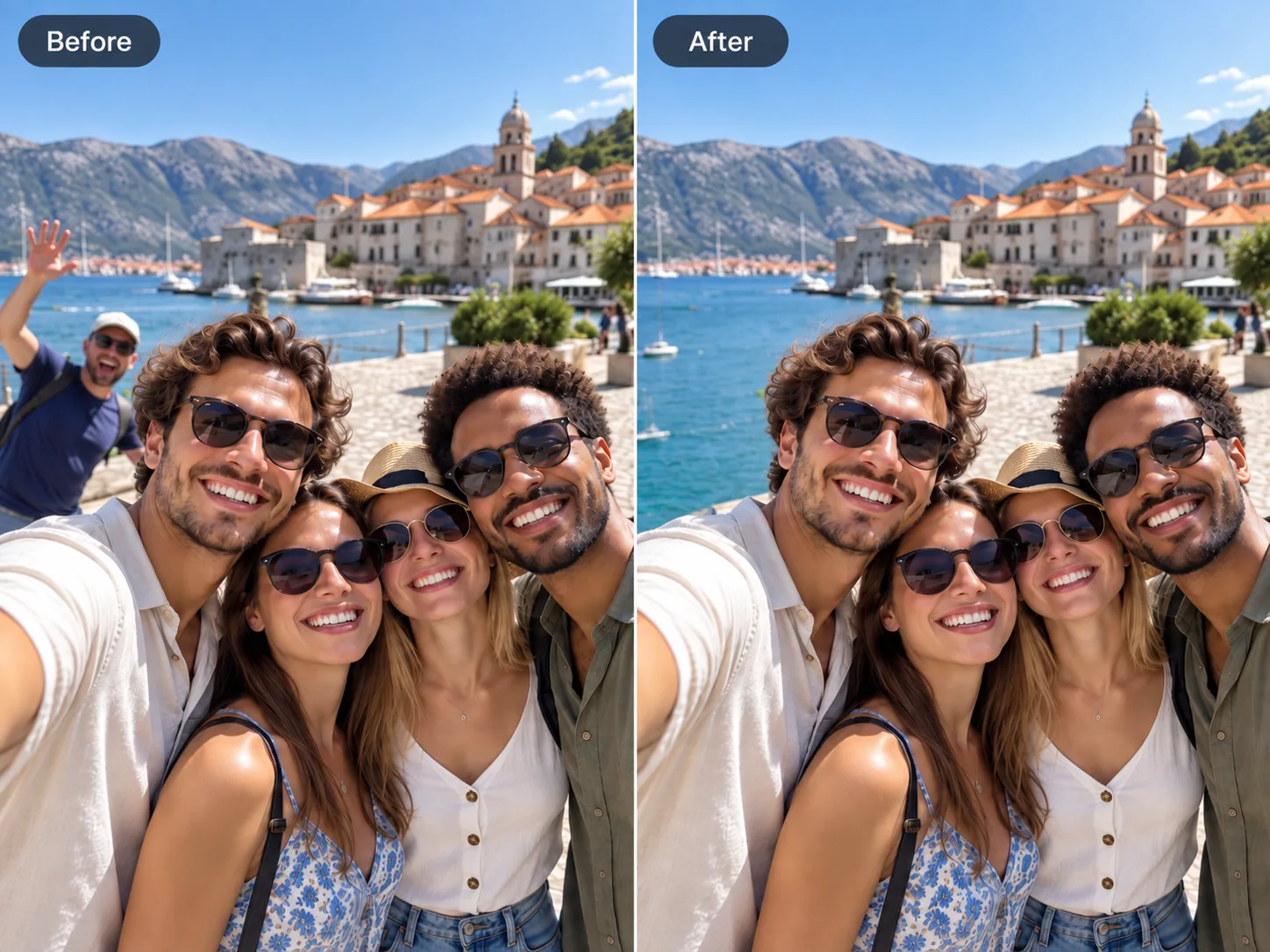
Someone wandered into your group shot. One brush stroke erases them — the AI rebuilds the background so your people stay front and center.
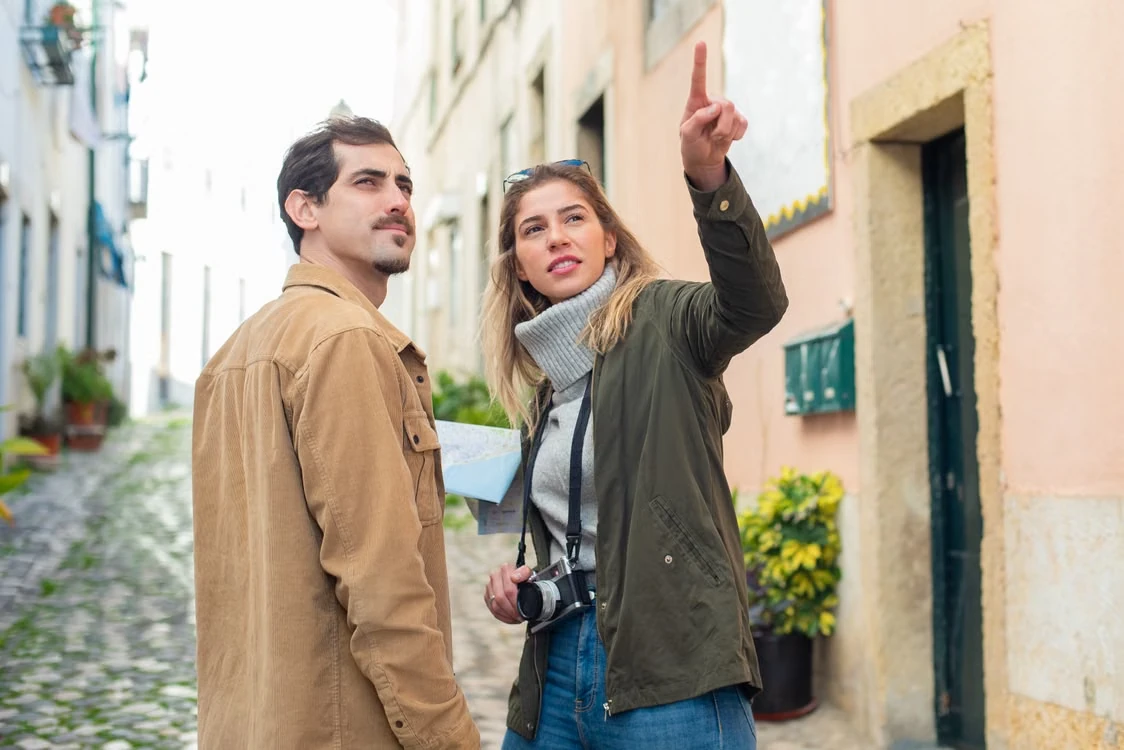
Clean up busy street shots
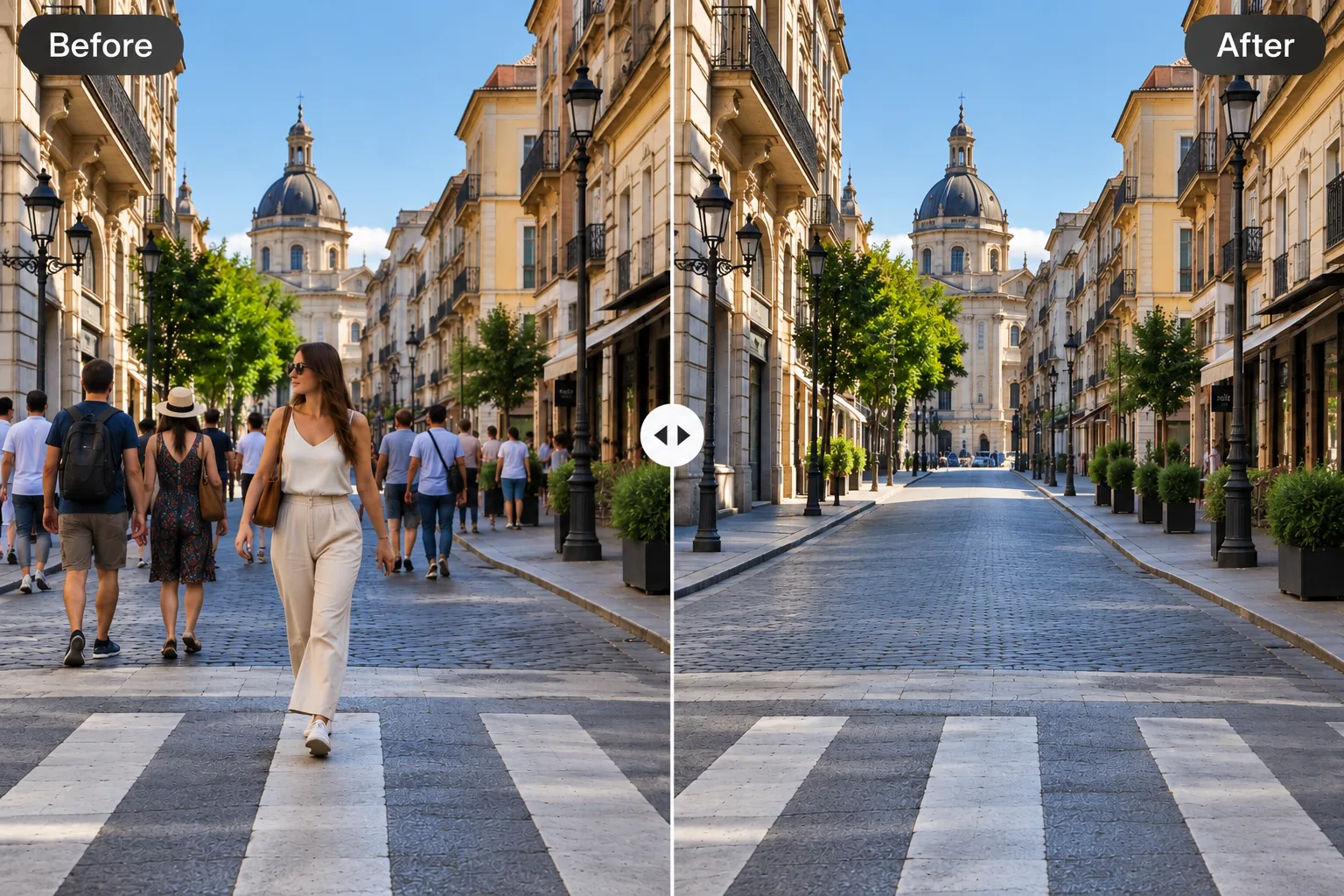
Street photography often means crowds. Remove the people you don’t want and reconstruct sky, road, and walls — no Photoshop session required.
Tighter group photos
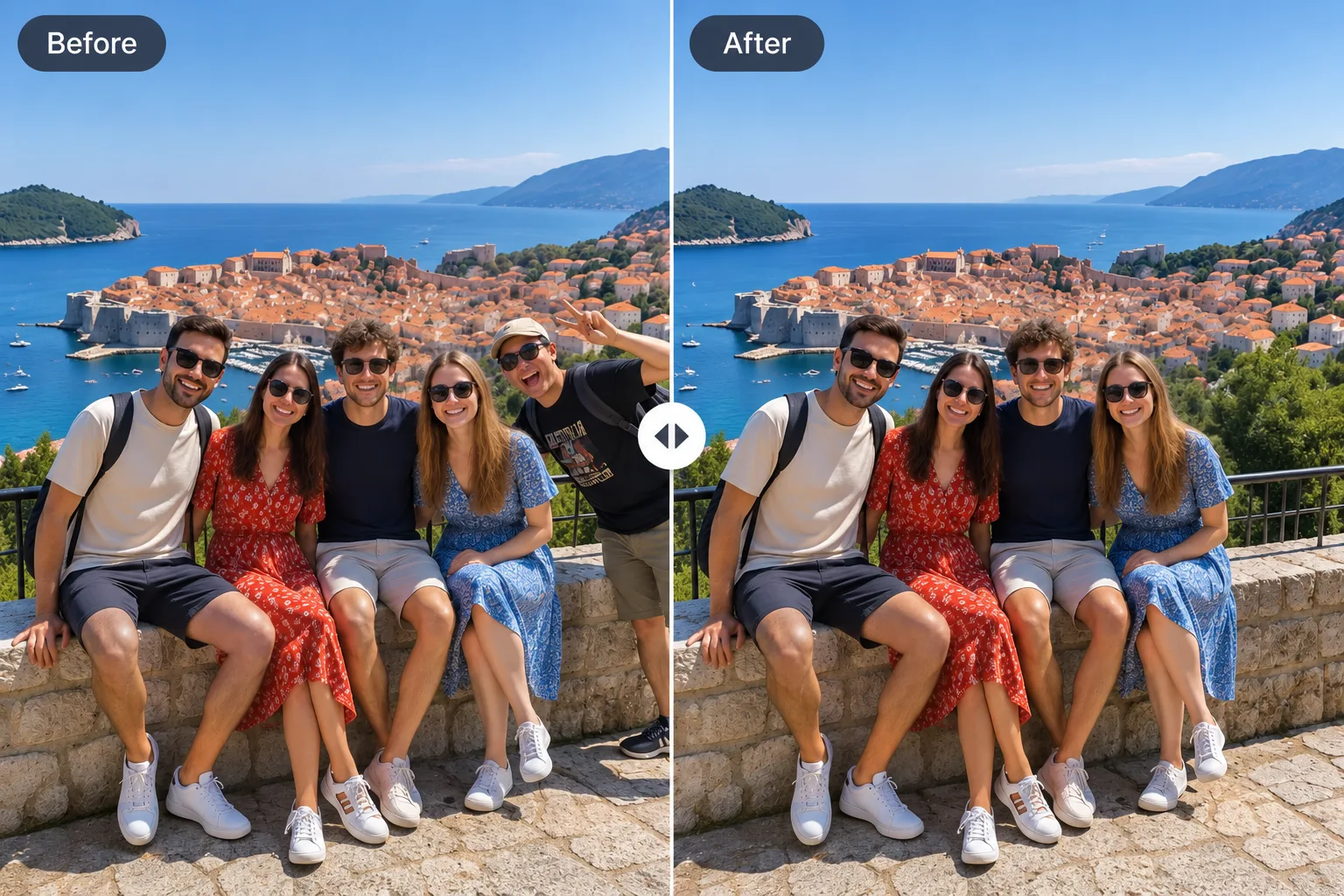
One extra face can throw off the whole frame. Brush them out, keep everyone else, and get a naturally composed group shot.
Another clean remove pass

Before → after: free AI generation clears the person and fills the scene
Why it stands out
Smart auto-detect + precise brush control
Auto person detection is genuinely helpful: people are highlighted so you can click who should go. Prefer full control? Brush mode shines on hair, limbs, and edges. Undo, Clear, and brush size make refinement feel smooth and professional — not fiddly.
Beautiful background reconstruction
This is where Person Remover really impresses. The AI does not just erase a person; it rebuilds the scene behind them. Skies stay consistent. Pavement continues naturally. Architecture fills back in cleanly. On travel and landmark photos especially, the “empty place to yourself” effect is excellent.
Built for real photos, not demos
- Clear tourists from landmark shots
- Erase a photobomber from a group selfie
- Calm down busy street crowds
- Drop one person from a group photo without awkward cropping
- Isolate a subject with a clean brush pass
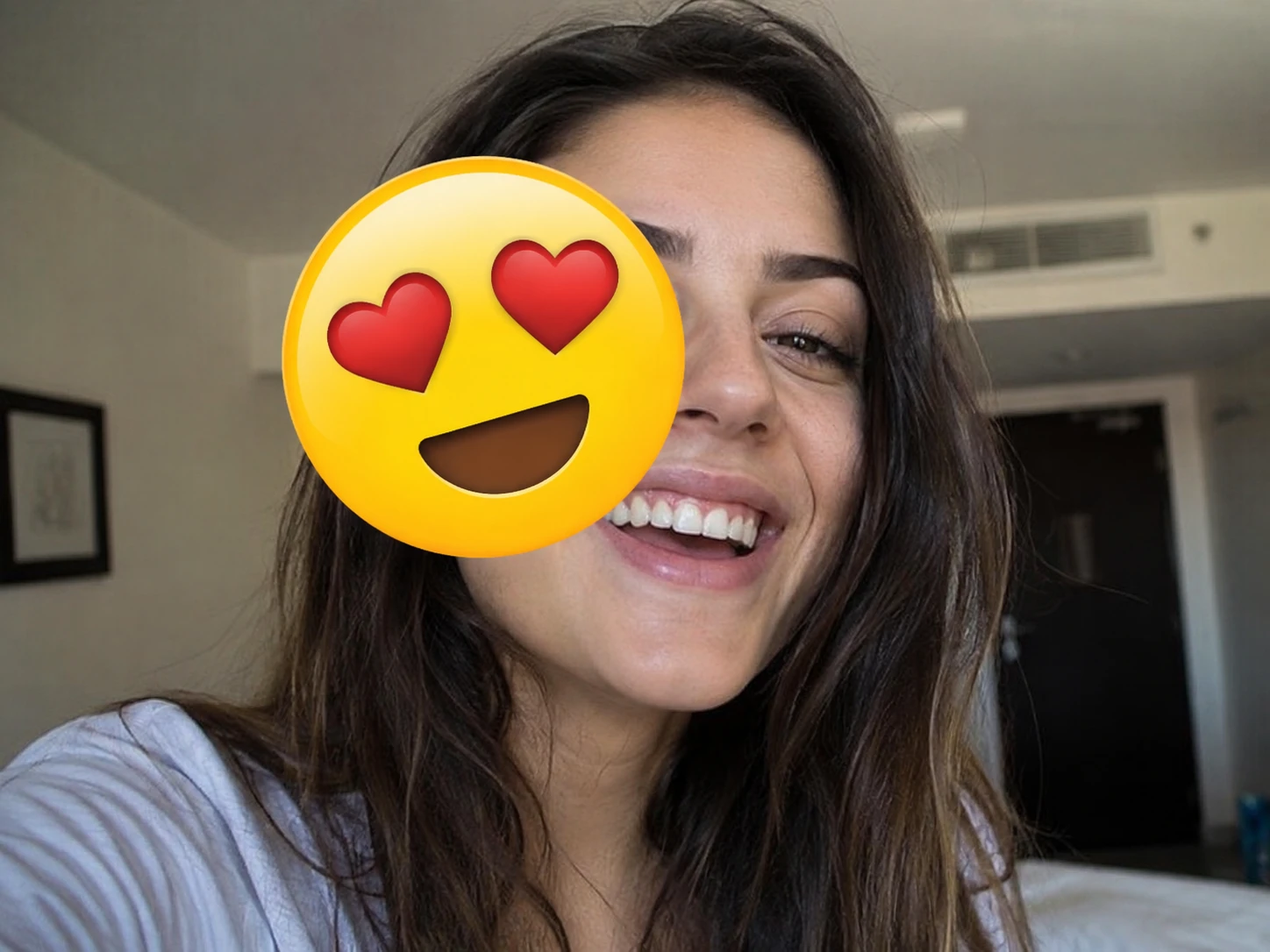
- Clean stickers, emoji, and overlay clutter from screenshots
These are everyday wins — the exact reasons people open a person remover in the first place.
A toolkit that keeps giving
Object remover, text remover, shadow remover, and image enhancer sit alongside the main tool. That makes Person Remover feel like a complete free cleanup suite, not a one-trick page. Once you trust the person removal quality, the rest of the toolkit becomes an easy next step.
Hands-on experience
Typical flow we walked through:
- Open the person remover
- Upload a travel or group photo
- Use auto-detect or brush over the person to remove
- Run free generation and compare before / after
What we loved
- The path from upload to result is remarkably short
- Auto-detect saves time; brush mode gives confidence on edges
- Free generation returns a clear HD preview of quality right away
- Before/after comparison makes the improvement obvious and satisfying
- Practical tips (brush a little wider than the person, work small areas first, zoom on edges) help you get even cleaner fills
Even on trickier scenes, a second thoughtful pass usually improves the result. That flexibility — auto speed plus manual precision — is a big reason the tool feels so reliable.
Free generation & price
Person Remover leads with free AI generation, and that generosity shows. You can upload, edit, and generate an HD result in the browser without signing up for a subscription first.
A light PersonRemover watermark appears on free HD results — a fair trade for trying a strong model on real photos. Optional unlocks and credit packs are available if you want a clean export more often, with a simple one-time $1.99 option or packs like $4.99 / 40, $9.99 / 100, and $24.99 / 300. Credits do not expire, and there is no monthly subscription required to enjoy the core experience.
See current options on the pricing page. For most people, free generation is already enough to fall in love with the tool.
Pros
- Outstanding free AI person removal generation in the browser
- Smart auto-detect plus a responsive brush in one elegant editor
- Clean, natural background fills that often look “never there”
- Dramatically faster than Photoshop-style workflows
- Excellent for travel, group, street, and landmark photos
- Related cleanup tools make the site a complete free toolkit
- Optional price options that stay fair — no forced subscription
Who will love it?
Perfect for
- Travelers who want landmark photos without the crowd
- Anyone cleaning a photobomber out of an otherwise perfect group shot
- Creators and casual users who want professional-looking cleanup without learning Photoshop
- People who prefer free generation first, then choose a price only if they need more
Person Remover is especially strong for users who value speed and natural results over complicated desktop suites. If your goal is “make this photo look right,” it delivers.
How it compares
| Option | Strength | Why Person Remover wins for most people |
|---|---|---|
| Person Remover | Free online generation, auto-detect + brush, excellent fills | Fastest path from messy photo to clean result |
| Photoshop / desktop AI fill | Maximum manual control | Steep learning curve and heavy setup |
| Phone healing apps | Convenient on mobile | Often weaker on full-body people and complex scenes |
Person Remover hits a sweet spot: more control and quality than basic phone heal tools, far less friction than a full desktop suite — with free generation that lets you verify quality immediately.
Final verdict
Person Remover is one of the most enjoyable free AI person removers online right now. Auto-detect and brush editing make selection effortless, the background reconstruction looks natural on the photos people actually care about, and free generation means you can prove the quality on your own images in minutes.
Start with a travel shot, a group photo, or a busy street scene. Generate for free. Odds are high you will smile at the before/after — and that is the best kind of product review ending.
Highly recommended for: free online remove-person-from-photo jobs, tourist cleanup, photobomber fixes, and quick group-photo polish.