

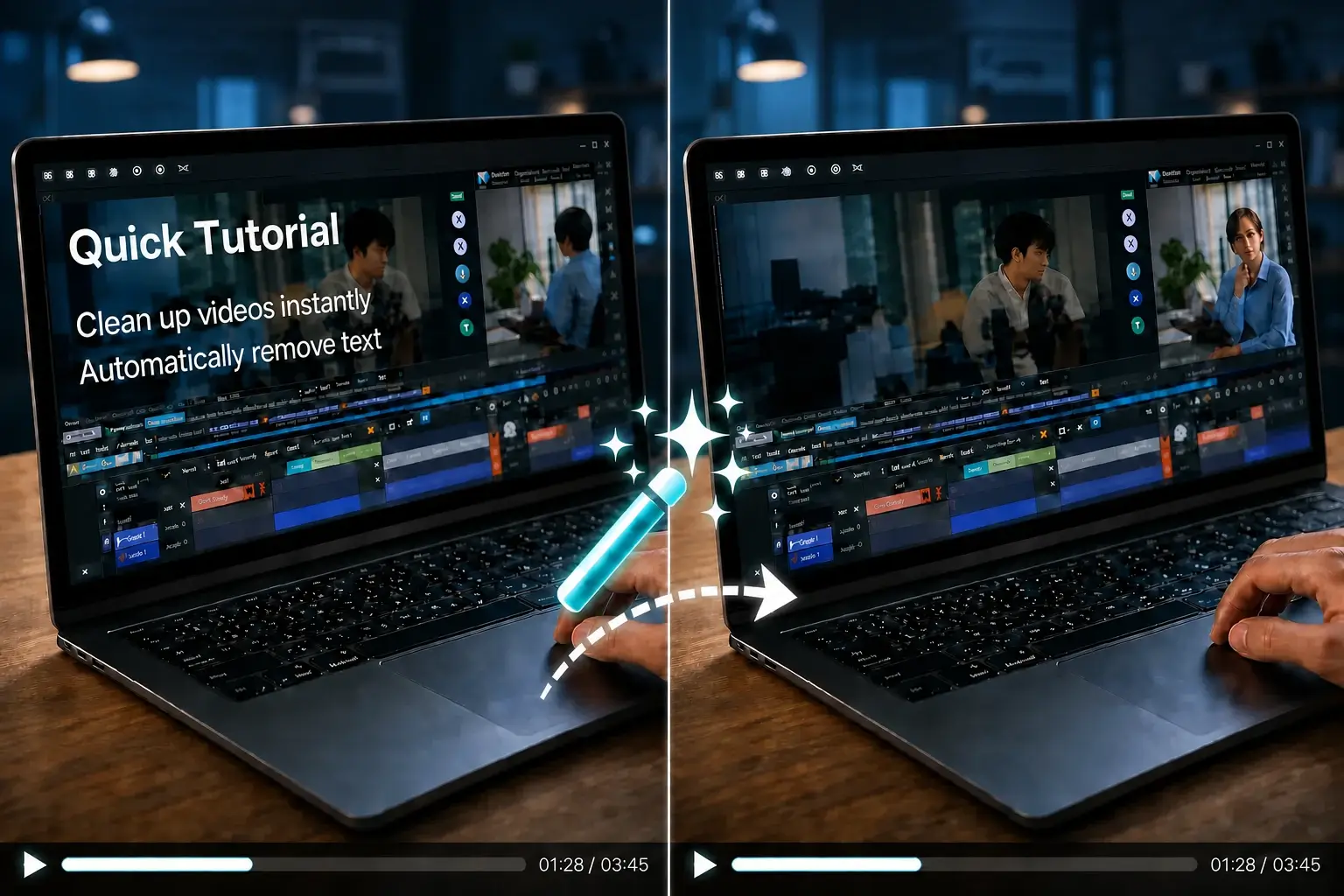

Video Text Remover

Remove Text from Video Without Watermark

Erase text, captions, and subtitles from your videos — and your output is clean. No brand watermark, no logo added, no "Made with X" tag in the corner. New users get 30 free credits after signing in (up to 30 sec Standard or 15 sec Advanced) — no credit card required.

  • ✨ Auto Text Detection
  • ▣ Select Specific Areas
  • ⚡ Standard & Advanced AI

ODDLY SATISFYING

GLASS PINEAPPLE CUT

Crystal slices. Zero cleanup.

New users get 30 free credits = up to 30 sec Standard processing — no credit card required.

Without watermark

Why Remove Text from Video Without Watermark?

Here's the frustrating cycle: you find a "free" text removal tool, spend 5 minutes waiting for processing, and when you finally hit download — there's a giant watermark stamped across your video. You didn't remove text; you traded one type of unwanted overlay for another.

That's why "remove text from video without watermark" is a real search. Users have been burned enough times that they're specifically filtering for tools that don't vandalize their output.

VideoTextRemover was built for this. AI removes text from every frame — and your download is watermark-free. Every time. No bait-and-switch.

How it works

How to Remove Text from Video Without Watermark — 3 Steps

  1. Upload a video to remove text from video without watermark
    Step 1

    1. Upload Your Video

    Click upload or drag-and-drop your video file. MP4, MOV, and WebM are supported. New users get 30 free credits after signing in — enough for up to 30 seconds of Standard processing. No credit card required.

  2. AI erases text from video without leaving blur or watermark
    Step 2

    2. AI Erases Text — No Blur, Just Clean Backgrounds

    Our AI scans every frame, detects text overlays, captions, subtitles, and watermarks — then reconstructs the pixels behind them. No blurry smudge left behind. No manual selection needed. The result looks like the text was never there.

  3. Download clean watermark-free video after text removal
    Step 3

    3. Download — Clean, Watermark-Free Video

    Preview first, then download. Original resolution preserved. Original frame rate preserved. Zero branding added. Ready to publish on YouTube, TikTok, Instagram — or wherever you need it.

Use cases

Who Needs to Remove Text from Video Without Watermark?

Content Creators Repurposing Clips

You downloaded a stock video but it has overlaid text. You want to reuse a clip across platforms but the original captions don't fit. Remove the text, get a clean output with no tool watermark, add your own branding — done.

Social Media Managers

Client sent you a video with competitor branding or outdated on-screen text. Clean it without adding a "Processed by [Tool Name]" stamp. Your client sees only their own branding.

Educators & Tutorial Creators

Recorded a tutorial with wrong on-screen instructions? Remove the old text, no watermark — re-record only the voiceover instead of the entire video.

Agencies Handling Multiple Client Assets

Batch-clean text from client footage without slapping your tool's watermark on every output. Professional results for professional work.

Why us

What Makes Our Watermark-Free Text Remover Different

Zero Watermark on Output — Guaranteed

This is the whole point. Many "free" tools add watermarks to your output video. We never do. Your download is your video — clean. No "Processed by…" badge. No corner logo. Nothing.

AI Background Reconstruction (Not Blur)

Cheap tools blur over removed text — it looks terrible. Our AI reconstructs the actual background pixels behind the text. The result is seamless: no smudge, no distortion, no obvious "something was here" patch.

No Desktop Software — Works in Browser

Nothing to install. No Windows/Mac download. No mobile app. Open your browser, upload, process, download. Works on any device — laptop, Chromebook, even a tablet you borrowed from a friend.

Privacy-First Processing

New users receive 30 free credits after signing in — no credit card required. Your videos are processed securely and deleted from our servers after processing. We don't store, share, or train on your content.

Comparison

Why Choose VideoTextRemover Over Other "Free" Tools?

VideoTextRemoverOther Free Tools
Watermark on Output
Never
Often adds branding
AI Quality
Background reconstruction, no blur
Blur-based removal — obvious patches
Getting started
Sign in — no credit card
Email gate or card for trial
Installation
Browser-based — nothing to install
Desktop software download needed
Credit Card Required
No — new users get 30 credits
"Free trial" requires card
Output Quality
Original resolution, original FPS
Often compressed or reduced
FAQ

Frequently Asked Questions

Watermarks, free credits, quality, formats, accounts, and privacy — answered plainly.

Remove Text from Video — No Watermark, Just Clean Output

New users get 30 free credits after signing in. No credit card. No watermark on your download — ever.

Remove Text Now — Try It Free

MP4 • MOV • WebM • Zero watermark guaranteed